

What Is SFS?
Overview
Scalable File Service (SFS) provides scalable, high-performance (NAS) file storage. With SFS, you can enjoy shared file access spanning multiple Elastic Cloud Servers (ECSs), Bare Metal Servers (BMSs), and containers created on Cloud Container Engine (CCE). Figure 1 shows the access to SFS.
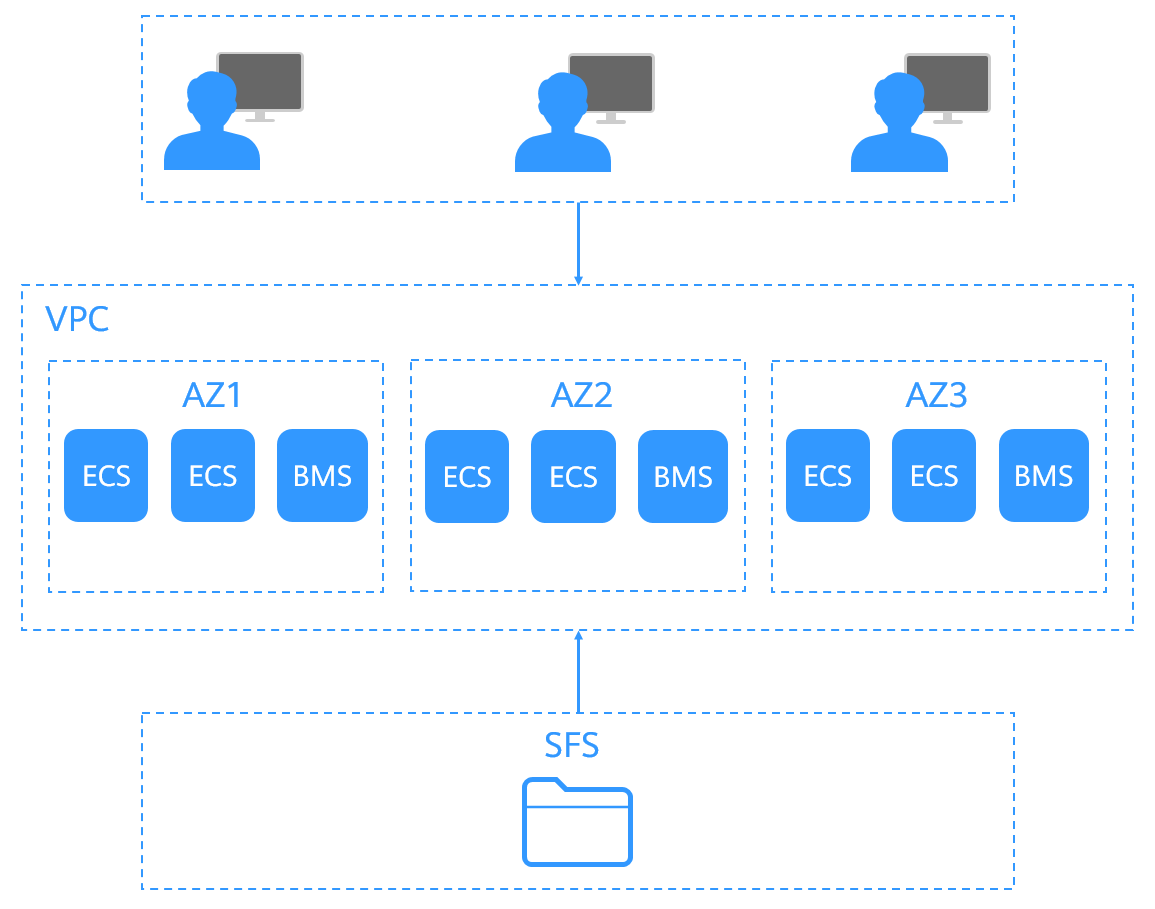
- File sharing
Cloud servers in multiple availability zones (AZs) of the same region can access the same general-purpose file system and share files.
- Elastic scaling
The file system storage can be scaled up or down on demand to dynamically adapt to service changes without interrupting applications. You can complete resizing with a few clicks.
- Superior performance and reliability
SFS enables file system performance to increase as capacity grows, and it delivers a high data durability to support rapid service growth.
The background storage system adopts a distributed architecture and uses full redundant design for modules, which eliminate single-node faults.
- Seamless integration
SFS supports Network File System (NFS). With this standard protocol, a broad range of mainstream applications can read and write data in the file system.
- Easy operation and low costs
On an intuitive graphical user interface (GUI), you can create and manage general-purpose file systems with ease. SFS slashes the cost as it is charged on a pay-per-use basis.
Introduction Video
Accessing SFS
You can access SFS on the console or via application programming interfaces (APIs) by sending HTTPS requests.
- APIs
Use APIs if you need to integrate SFS into a third-party system for secondary development. For detailed operations, see Scalable File Service API Reference.
- Console
Use the console if you prefer a web-based UI to perform operations.
Feedback
Was this page helpful?
Provide feedbackThank you very much for your feedback. We will continue working to improve the documentation.See the reply and handling status in My Cloud VOC.
For any further questions, feel free to contact us through the chatbot.
Chatbot


